YmerFlow — Cloud-Native Geophysics

Browser-based AEM and magnetic survey processing, inversion, and pipeline automation — no Windows install, no per-seat licenses, no black-box algorithms.
YmerFlow replaces desktop-bound geophysics tools with a reproducible, versioned workflow platform that runs in any browser. Processing pipelines are defined as visual DAGs, executed in Kubernetes containers, and stored in per-project cloud storage so results are always reproducible. The inversion core is SimPEG (GPL v3) — peer-reviewed, auditable, and extensible.
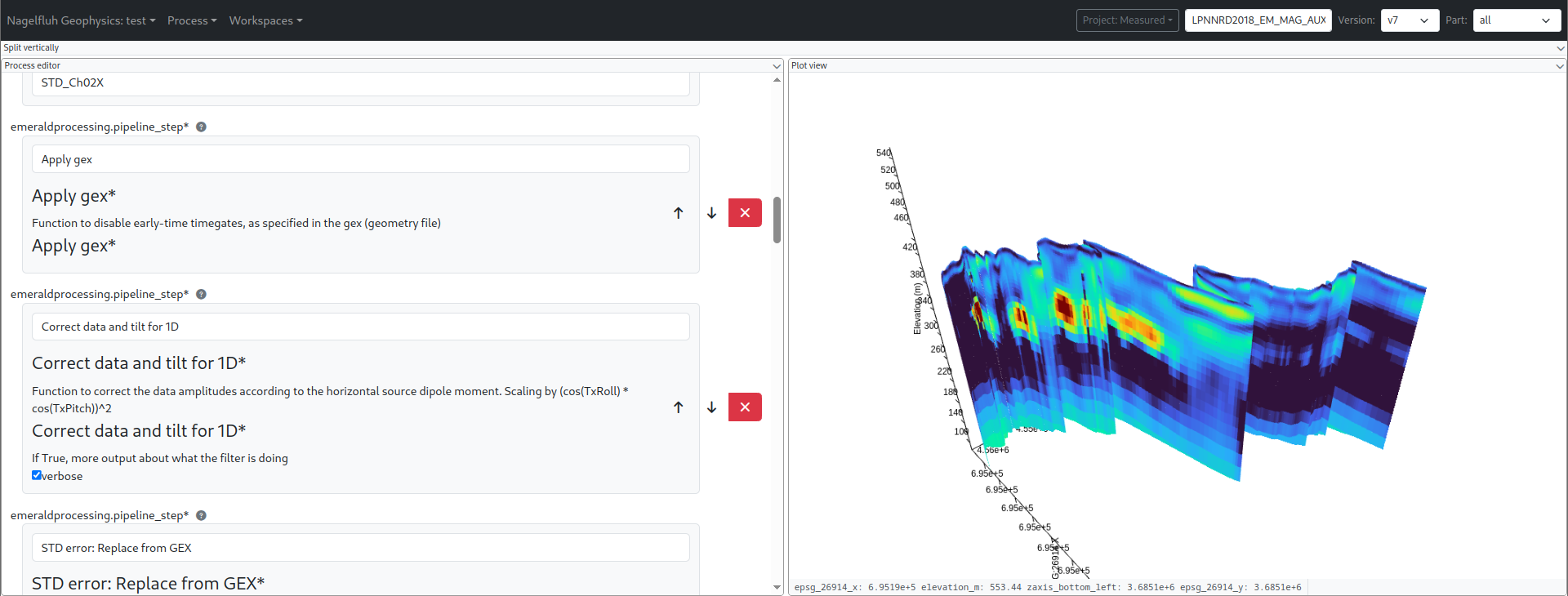
| Process graph view | Process editor |
|---|---|
.png) |
 |
Features
Visual Pipeline Editor
🔀 DAG-based process graph showing dependencies and data flow
🖱️ Drag-and-drop interface with resizable splits, tabs, and popout windows for multi-monitor workflows
📡 Real-time log streaming via WebSocket
💰 Usage-based billing with upfront cost estimates per job
💾 Persistent layout configuration
Geophysics Processing & Inversion
🛜 AEM (TEM) processing and 1D/3D inversion via SimPEG — open, peer-reviewed algorithms
🧲 Magnetic processing, equivalent-source gridding, and 3D magnetic inversion
🔌 Plugin process types: any Python schema() + run() pair registers as a new process type, so custom algorithms slot in without forking the platform
Scientific Visualization
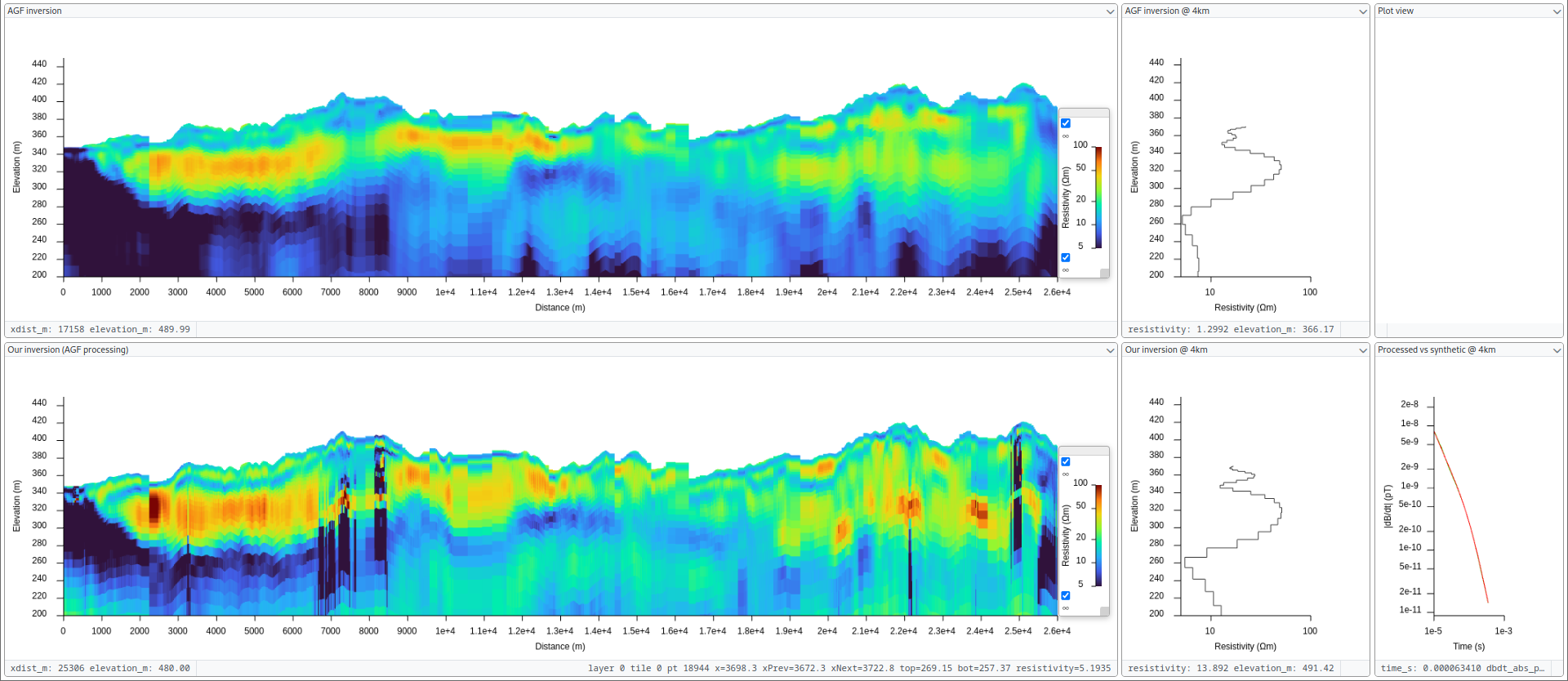
🗻 3D resistivity curtains along flightlines and voxel grids for 3D inversion results
🌐 Geographic map view with EPSG coordinate axes and flightline plotting
📊 Extensible plot element system with unit-aware axis matching
Kubernetes-Based Compute
📦 Containerized process execution with per-job resource limits (CPU, memory, deadline)
⚙️ Kueue job queuing for fair cluster scheduling and efficiency
🔄 Automatic cleanup and retry logic
📈 Scales to large surveys without manual infrastructure management
Storage
🔐 Per-project S3/GCS-compatible object storage with scoped credentials and IAM security
🏷️ Versioned outputs — every pipeline run is reproducible
☁️ MinIO for local development, GCS/S3 in production
⚡ Automatic bucket provisioning
Getting Started
Try it on real data. The YmerFlow demo data is a SkyTEM 304 flight line from a published survey, with the contractor's inversion input and their resistivity model to compare against. Download it, then follow the tutorials from delivered data to an inverted model, and check your result against the published one.
See the Quickstart Guide to go from zero to a running system in minutes, or the Deployment Guide for production mode, admin tools, and cloud deployment and the User Guide for full coverage of the interface, datasets, billing, and troubleshooting.
Documentation
YmerFlow uses a distributed architecture with browser-based UI, FastAPI backend, and Kubernetes for process execution:
Frontend (React) → Backend (FastAPI) → Kubernetes Cluster
                                       ├─> Kueue → Job → Pod (process execution)
                                       ├─> Log streaming via WebSocket
                                       └─> MinIO (development) / GCS/S3 (production)
                                           └─> Per-project buckets with IAM
Architecture
- System Overview - Backend/frontend components, data flow, Kubernetes resources
- Technology Stack - Complete list of technologies, libraries, and tools
- Environment - Docker images, entrypoints, runner, schema extraction
- Process Types - Creating custom process types, schemas, registration
- Storage - Per-project buckets, security model, fsspec usage
Frontend
- Widget System - Creating widgets, built-in widgets, plot elements
- Layout System - Flexout drag-and-drop, splits, tabs, popouts
- JSON Schema Forms - Custom forms, dataset selector, validation
Operations
- Deployment Guide - Development and production setup, Minikube, MinIO, cloud deployment
- Development Guide - Development workflows, testing, debugging, contributing
Contributing
See Development Guide for development workflows, testing, and contribution guidelines.
For guidance when working with Claude Code, see CLAUDE.md.
License
Copyright (c) 2026 Egil Möller
This program is free software: you can redistribute it and/or modify it under the terms of the GNU General Public License as published by the Free Software Foundation, either version 3 of the License, or (at your option) any later version.
This program is distributed in the hope that it will be useful, but WITHOUT ANY WARRANTY; without even the implied warranty of MERCHANTABILITY or FITNESS FOR A PARTICULAR PURPOSE. See the GNU General Public License for more details.
You should have received a copy of the GNU General Public License along with this program in the LICENSE file. If not, see https://www.gnu.org/licenses/.